Built for product managers

Your day, captured.
Your thinking, connected.

Cortex is a note-taking app that reads dates from your prose, links notes into a graph, and lets an LLM find the ideas you left on the table.

cortex-psi.vercel.app
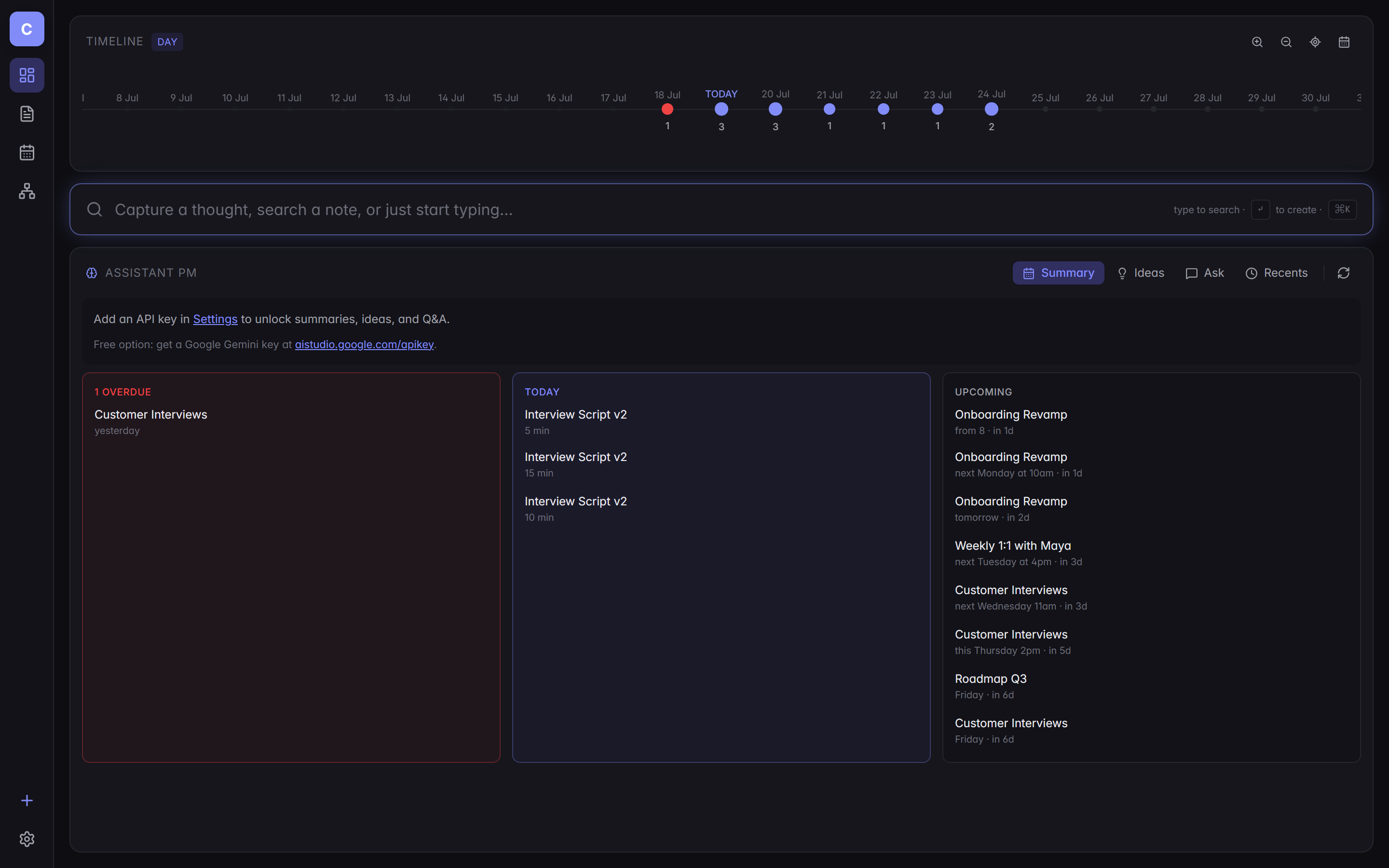
Cortex dashboard: timeline of commitments, a global capture bar, and an AI assistant panel with Overdue, Today, and Upcoming buckets.
Why it exists

Signal lives in noise. Most notes apps only give you the noise.

As a PM, my day is a stream of half-thoughts: a customer said something in a call, a metric moved, a teammate flagged a risk on Slack, an idea landed at 11pm.

Linear notes apps let me write that stream. They don't help me see it. By Friday I'm re-reading yesterday's scratch pad looking for the thing I promised Maya, and by Monday I've forgotten the idea I wrote down over the weekend.

Cortex was built to close that gap. Every note is dated. Every commitment I write in plain English — "review with Maya next Tuesday at 4pm" — gets parsed and lands on a timeline.

Every wikilink and tag becomes an edge in a graph, so the shape of my thinking is visible, not buried in folders I can't remember naming.

Then an LLM sits on top: it summarises the week, surfaces ideas I've drafted but haven't scheduled, and lets me ask questions of my own notes. It's not a chatbot glued to a text editor — it's an assistant that already knows what I've been working on.

What it does

The pieces that make it work.

Built around the way a working PM actually captures information — fast, dated, connected, searchable by shape as well as text.

Smart date parsing

"Friday", "next Tuesday at 4pm", "in 3 weeks" — extracted from prose and pinned to the timeline.

Timeline you can zoom

Day, week, month, quarter, year. Smooth crossfade between levels. Every commitment is a dot.

Knowledge graph

Wikilinks and tags become edges. Filter by dates or tags. See how work actually clusters.

Quick capture

Global capture bar. Type, hit Enter, keep moving. No modals, no forced folder pick.

Local-first, cloud-optional

Runs in IndexedDB by default. Plug in Supabase to sync across devices — same code, either backend.
A tour

What it looks like on a Sunday of PM work.

Seeded with a plausible week — roadmap, customer interviews, a pricing experiment, a 1:1 with Maya, a stray late-night idea.

The dashboard

Timeline, capture, assistant — one glance.

Every open thread from your notes surfaces here. The AI panel is triaged into Overdue, Today, and Upcoming; the capture bar is one keystroke away from anywhere.

Cortex dashboard showing a timeline strip, capture bar, and AI panel with commitment buckets.
The editor

Plain markdown, active receipts.

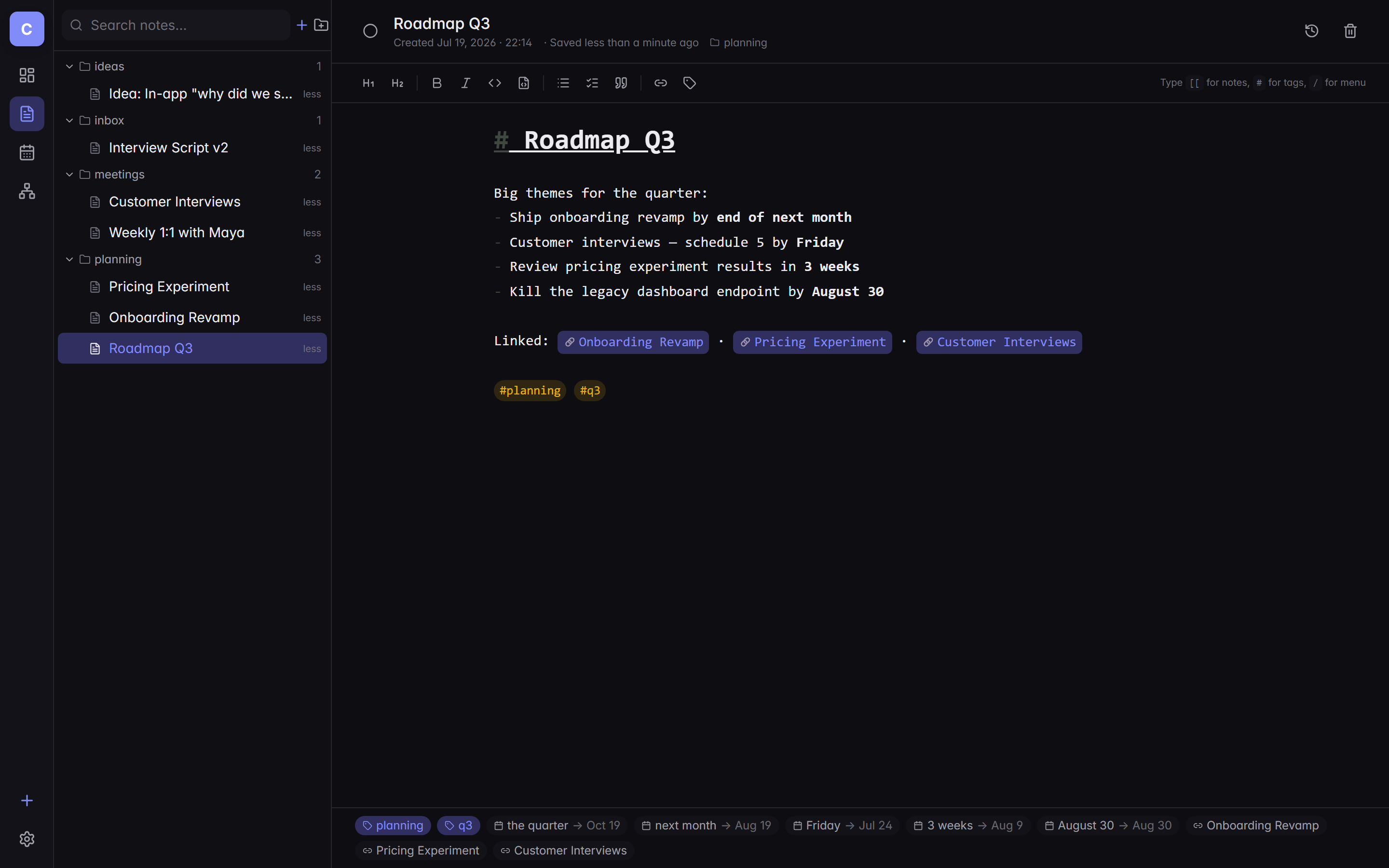
Write naturally. Wikilinks light up as clickable jumps. Dates in prose get parsed into chips at the bottom of the note — a build-in receipt for every commitment.

Cortex note editor showing a Roadmap Q3 note with wikilinks and parsed date chips.
Calendar view

A month, at a glance.

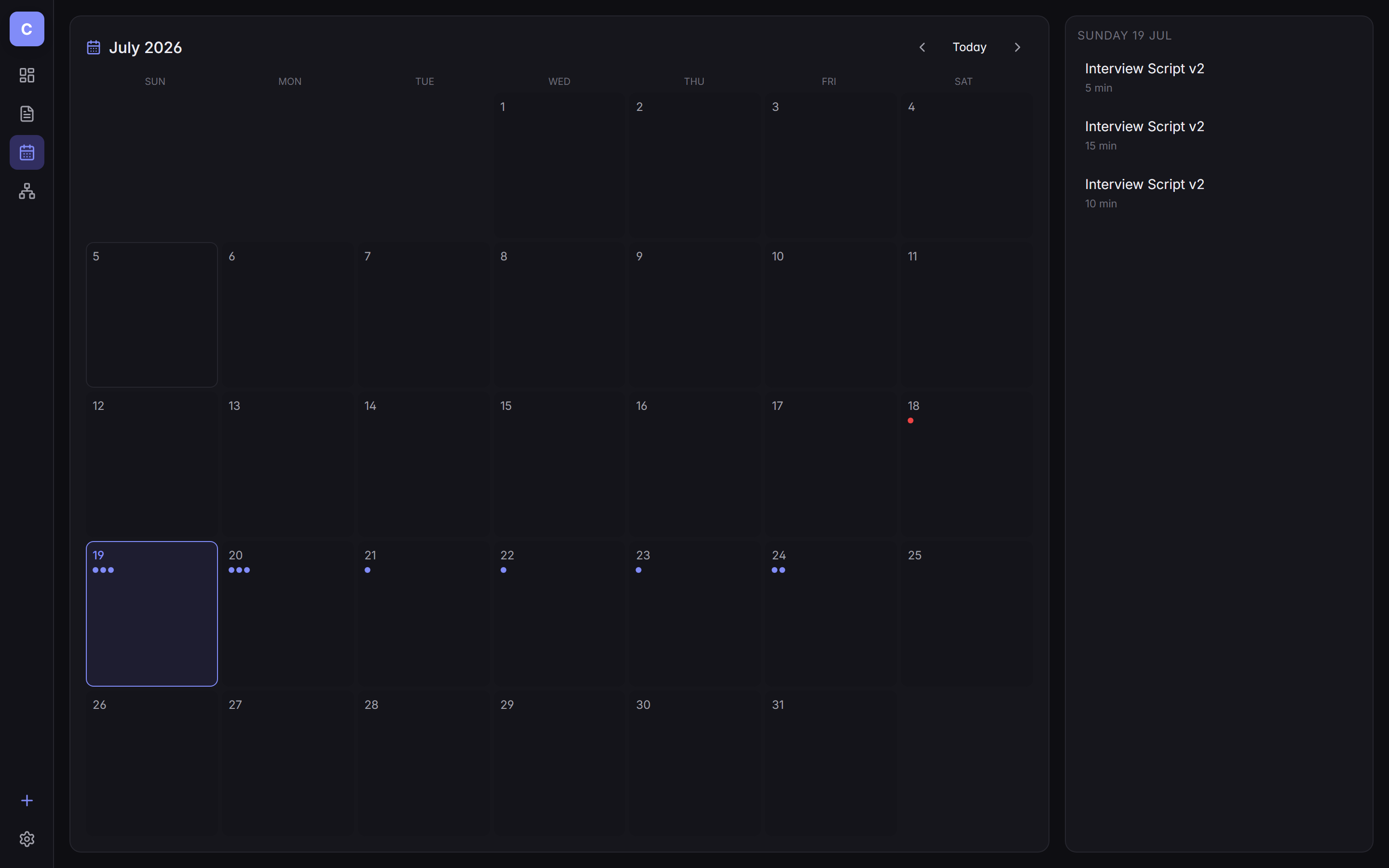
Every date you dropped into a note lands here — colored dots on busy days, a sidebar listing today's items. Click a day to see the notes it came from.

Cortex month calendar with dots on days that carry commitments.
The graph

See the shape of your thinking.

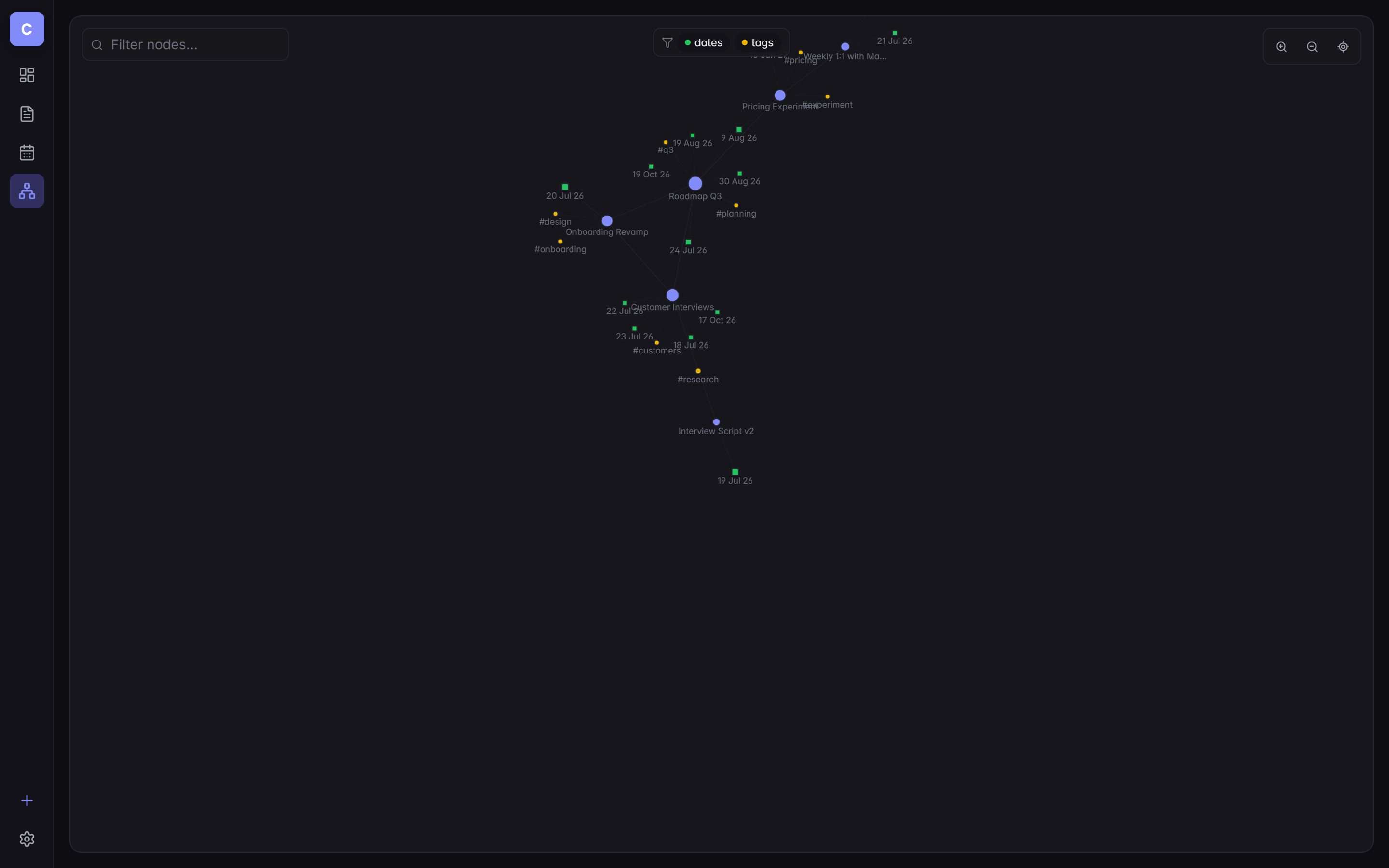
Notes, tags, and dates as nodes. Wikilinks as edges. Toggle to see just tags, just dates, or the whole shape — a picture of where your attention has actually gone.

Cortex force-directed graph view showing notes, tags, and dates as connected nodes.
How it's built

A modern SPA with a swappable storage layer.

Nothing exotic — deliberately. The interesting choices are in the small pieces: the date parser, the storage adapter, and how the AI stays grounded.

The stack
React 19 Vite TypeScript Tailwind CSS Zustand CodeMirror 6 chrono-node Cytoscape · react-force-graph IndexedDB (idb) Supabase Anthropic · Gemini · OpenAI Playwright Vercel
Storage architecture
UI Zustand store StorageAdapter ├── IdbAdapter (local, offline) └── SupabaseAdapter (Postgres + RLS)

Ready to see it?

Open the live app — no signup required in local mode. Or read the source.